A ring sizer that measures on your screen — in US, UK, EU and JP sizes
Calibrate this page against any bank card once. From then on every circle, ruler and chart on this site is drawn at its true physical size on your glass, and the ring you already own can be measured against it in about a minute.
Nothing is uploaded. The calibration is a single number kept in your browser.
Calibrate this page to your screen
Every screen has a different pixel density, so nothing on a web page is true to size until you tell the page how big your pixels are. Hold any bank, ID or transport card flat against the screen and drag until the outline matches its edges exactly. Every card in the world is 85.60 mm wide by ISO/IEC 7810.
3.78 px/mm · 85.6 mm (ISO/IEC 7810 ID-1)
Actual size · US 5 to US 12
These circles are inner diameters, printed at real size once you calibrate. Lay a ring on one and read the size straight off the page.
Calibrate above and these circles become true to scale on your screen.
What size is the ring you already own?
Copying a ring that fits is the most reliable thing you can do at home, because it removes your finger — and its temperature, the time of day and the knuckle — from the measurement entirely. You are measuring a piece of metal, and a piece of metal does not change size between breakfast and evening.
Size a ring you already own
Lay a ring that fits the right finger flat on the screen and drag until the circle matches the inner edge you can see through the band.
Between two sizes? Take the larger one. A ring has to clear the knuckle to get on and off.
A screen measurement is an estimate. For an engagement ring or any size you cannot exchange, confirm with a jeweller.
How it works
Why a phone can measure at all
A web page has no idea how large its own pixels are. The CSS pixel is defined against a 96 dpi reference display, not against the panel in your hand, and phone screens run anywhere from about 300 to over 500 real pixels per inch. That is why every "print this ring sizer" page warns you about printer scaling, and why an app that draws a circle without calibrating first is guessing.
One object solves it. Under ISO/IEC 7810 every ID-1 card — bank card, driving licence, most transport and library cards — is 85.60 mm wide, with a tolerance measured in hundredths of a millimetre. It is the most widely distributed physical reference standard in the world, and almost everyone reading this has one within arm's reach. Match an outline to that card and the browser learns exactly how many of its pixels make a millimetre.
Everything else follows from that single number. A ring size is the inner diameter of the band: 17.32 mm is a US 7, a UK N½, an EU/ISO 54 and a JP 14 — four labels for one circle. Once the page knows your pixel scale it can draw that circle at its real size, and you can check it against the ring in your hand instead of trusting a chart.
The margin you are working in is small, which is the part most sizing guides skip. One full US size is 0.81 mm of diameter — about eight sheets of office paper. A 1% error when you match the card, which is less than a millimetre across the whole card, already costs you a quarter of a size. Take the extra ten seconds on the calibration step and the rest of the measurement takes care of itself.
Three instruments, one app, no account
The browser tools on this site do the measuring you need right now. The app adds the parts a web page cannot do well: saved sizes for the people you buy for, every standard on one screen, a level that reads the phone's own motion sensors, and a ruler that stays calibrated for the next time you need it.
Ring sizer
Place a ring you own on the screen, or fit the circle to a finger. Read the result in US, UK/AU, EU/ISO and JP at once, tune it in 0.1 mm steps, and save it under a name so you still have it when the jeweller asks in six months.
On-screen ruler
A ruler in millimetres, centimetres or inches, true to your display, with a zero line you can see and a guide you can drag to hold a length. It tells you the longest thing it can measure instead of pretending your phone is a metre stick.
Bubble level
A bullseye and an edge mode driven by the phone's motion sensors, with a set-zero step that cancels the sensor's own bias — the same thing a tradesperson does before trusting a spirit level on site.
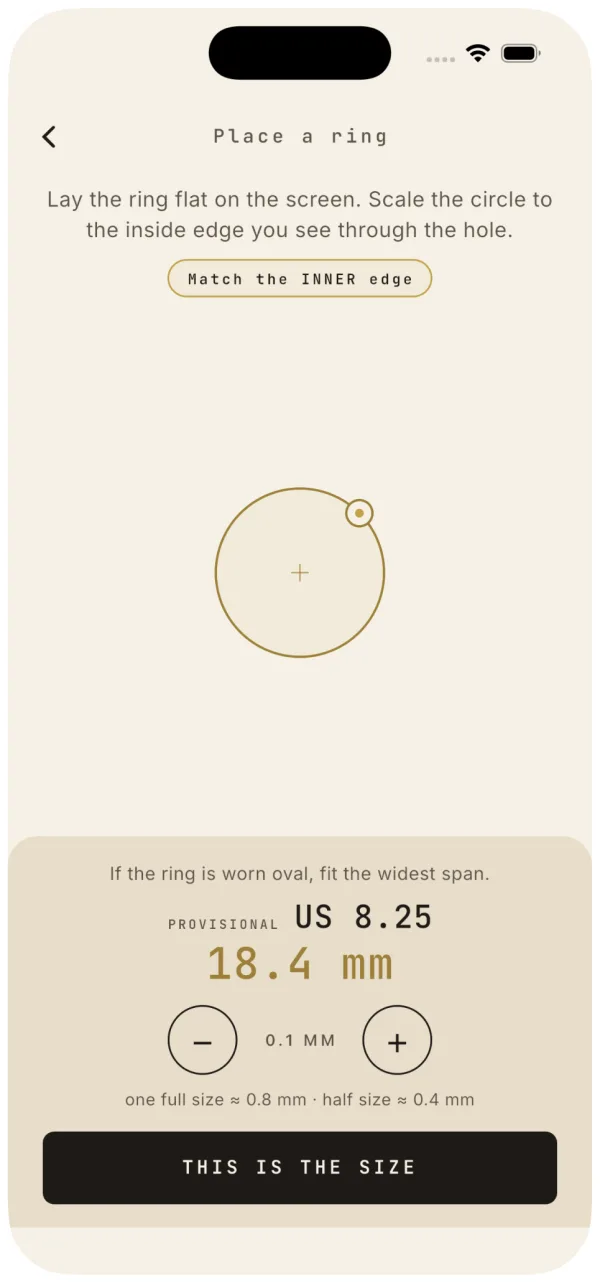
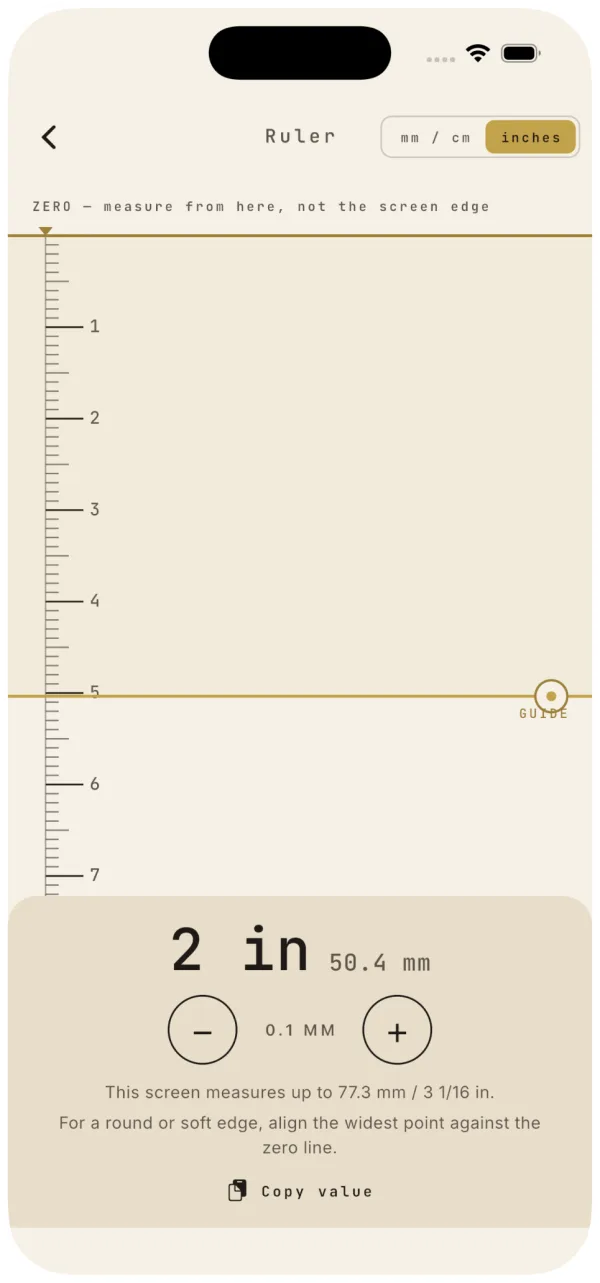

Every standard, side by side
Open the full conversion chartThe table below is computed from the published formulas rather than copied from another shop's chart, which is why the millimetre column carries two decimals instead of a rounded number that has been through three chart generations. If you only remember one row, remember 17.3 mm: it is the median size sold, and it is a US 7.
| Inner Ø (mm) | Circumference (mm) | US / CA | UK / AU | EU / ISO | JP / KR |
|---|---|---|---|---|---|
| 14.88 | 46.8 | 4 | H½ | 47 | 7 |
| 15.69 | 49.3 | 5 | J½ | 49 | 9 |
| 16.51 | 51.9 | 6 | L½ | 52 | 12 |
| 17.32 | 54.4 | 7 | N½ | 54 | 14 |
| 18.13 | 57.0 | 8 | P½ | 57 | 16 |
| 18.95 | 59.5 | 9 | R½ | 60 | 19 |
| 19.76 | 62.1 | 10 | T½ | 62 | 21 |
| 20.57 | 64.6 | 11 | V½ | 65 | 24 |
| 21.38 | 67.2 | 12 | X½ | 67 | 26 |
| 22.20 | 69.7 | 13 | Z½ | 70 | 29 |
Free, in this browser
Measure without installing anything
Five tools, all of them free, none of them behind a sign-in. They work on a laptop as well as a phone — the calibration is what makes them honest, not the device.
- 01 Online Ring Sizer: How to Measure Ring Size on Screen Mesurix measures a ring’s inner diameter after card calibration, then converts the millimetre reading into the size system used by the seller.
- 02 Ring size converter: calculate every size from millimetres Convert a foreign ring size by identifying diameter or circumference first, then apply the formula for the US, UK, EU/ISO, JP, Korean or French scale.
- 03 Online ruler actual size: measure in millimetres and inches An actual-size online ruler becomes physical only after calibration with a bank card; without that reference, a browser cannot know the millimetres represented by its pixels.
- 04 How to use a printable ring sizer at 100% scale A printable ring sizer is only useful after its check bar matches the stated millimetre length. The circle gauge avoids the strip’s pulling error.
- 05 Online bubble level: check whether a shelf is level Mesurix uses your phone’s accelerometer and a set-zero reference to compare a shelf, tabletop or edge with gravity, without an account or upload.
Who this is for
Most people arrive here for one of four reasons. You are buying a ring online and the shop wants a size in a system you have never used. You are planning a proposal and need a size without asking the question. You have a ring that fits and want to buy another one like it. Or you are not buying jewellery at all and simply need a ruler or a level in your pocket.
The surprise-proposal case is the one where the arithmetic matters most, because you get one attempt and no fitting. Borrowing a ring they already wear on the correct finger and copying it on a calibrated screen is the closest thing to a reliable method that exists at home. Do it twice, on two different days, and take the larger reading if the two disagree.
If you are ordering from another country, work in millimetres and convert at the end. The millimetre value is the only number that means the same thing in every catalogue; the national labels are conventions layered on top of it, and at least one of them — the Japanese and Korean 号 and 호 scale — is quoted two different ways by different sellers.
FAQ
How accurate is measuring a ring on a screen?
The measurement itself is exact arithmetic; the accuracy you get depends almost entirely on how carefully you match the card outline. A good calibration gets you inside a quarter of a US size, which is the same margin a plastic ring-sizer set gives you. A careless one — the outline a couple of millimetres wider than the card — costs you half a size. The method has one real advantage over paper strips and string: nothing stretches, and you can redo it in ten seconds to check yourself.
Do I need the app, or is the website enough?
For one measurement the website is enough, and it is free with no sign-in. The app is worth it when you measure more than once: it keeps your calibration and your sizes between sessions, shows every standard on one screen, adds a finger-measure mode and a printable sizer, and includes the ruler and the level. Both do the same arithmetic.
What if I do not have a ring to copy?
Fit the circle to the base of the finger instead, past the knuckle, and treat the result as a starting point rather than an answer — measuring a soft, warm, moving object is harder than measuring a piece of metal. Fingers are also at their largest late in the day and after heat or salt, and at their smallest first thing on a cold morning; the spread across a day is easily a quarter of a size. Measure two or three times at different hours and take the larger reading.
Which size do I choose when I am between two?
The larger one. A ring has to pass the knuckle to go on and to come off, and a slightly loose ring can be tightened by a jeweller with sizing beads or a fitted bar, while a ring that does not clear the knuckle is simply unwearable. The exception is a wide band, which already runs tight for its size — there, go up rather than down and expect to add a quarter to a half size on top.
Does the width of the band change my size?
Yes, and it is the single most common reason a correctly measured ring still feels wrong. A narrow band touches a short section of skin; a wide band presses along the whole segment of the finger and traps more of it. The trade rule of thumb is a quarter size up from about 6 mm of band width and a half size up from about 8 mm. If you are buying a wide band and have only measured with a thin one, say so when you order.
Is anything sent to a server?
No. The calibration is one number stored in your browser, and every conversion on this site is done in the page. There is no account, no upload and nothing about your hands or your jewellery leaves the device. The app works the same way and needs no network connection at all.
Does this work on a laptop or only on a phone?
It works anywhere you can hold a card against the screen, laptop included. The level is the exception: it reads motion sensors, which most desktop screens do not have. On a phone, remember that a case or a screen protector does not affect the measurement — you are matching an outline to a card on the glass, not measuring the glass itself.
Why does the shop's chart disagree with yours by a size?
Most published charts are copies of copies, rounded at every generation, and a few of them mix the two Japanese conventions or use an older UK letter table. Ours is computed from the formulas each standard actually defines, and we publish the formulas so you can check them. When a shop's chart and ours disagree, order by the millimetre value: the shop's own millimetre column is the number their stock is cut to.